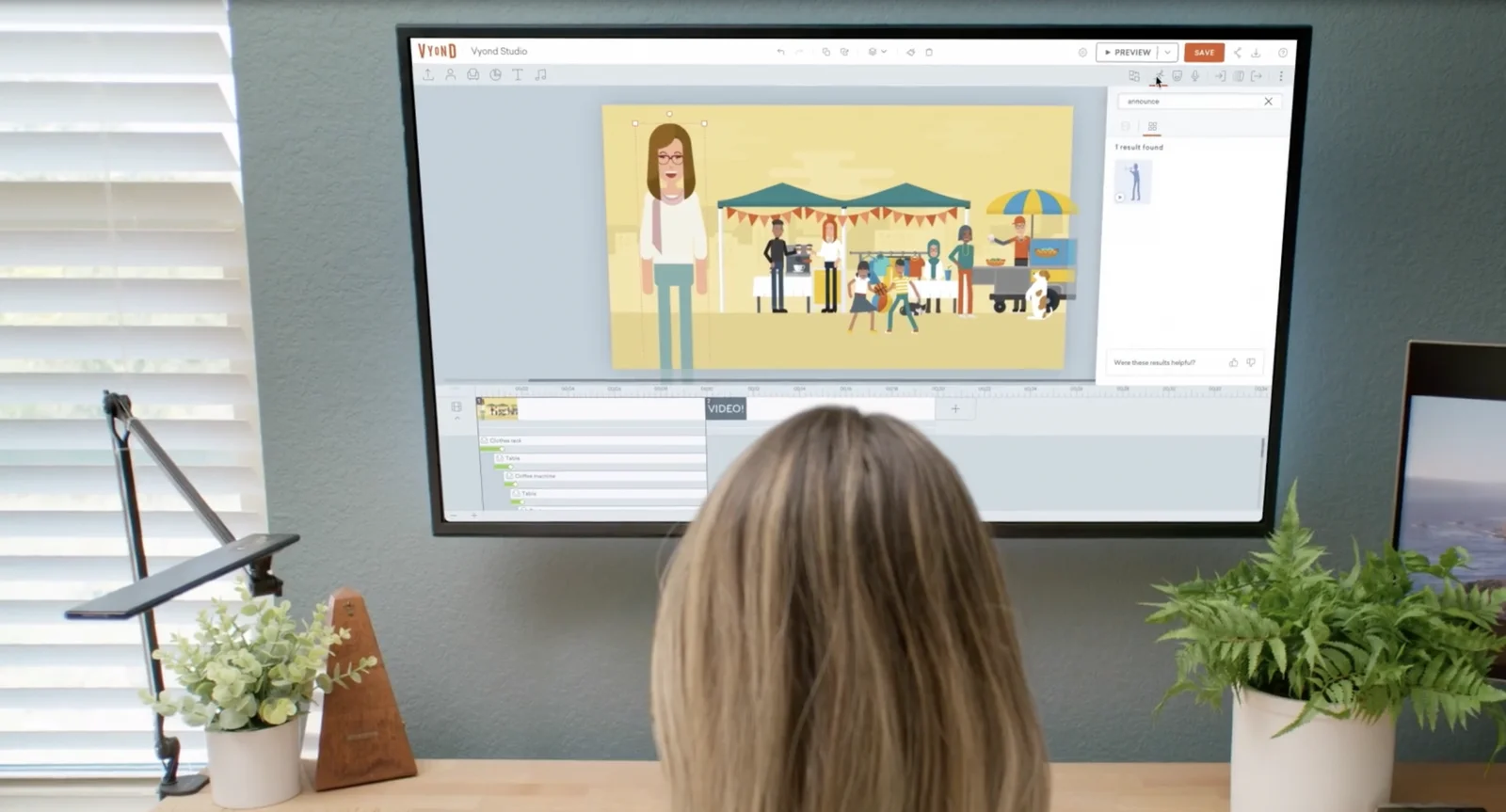
In today's world, where visuals are everything, advanced web technology not only provides convenience in all areas of life but also presents us with platforms that serve the visual world. Many platforms designed for entertainment, socialising, and education have become part of our lives. Vyond is a video animation platform that has proven itself in this visual world.
Vyond is a Web 2.0 tool that allows you to create animations and graphics without needing any technical knowledge. Vyond offers a service where creating visual content is highly practical, allowing you to handle all your visual projects without paying separate fees.
The era of relying solely on verbal or written explanations in workplaces, schools, and online education is a thing of the past. To be memorable, you must first appeal to the eye. In such a situation, you either need to know how to create this type of content yourself or work with someone who does. This means both time and money. However, Vyond keeps your money in your pocket and saves you time with the services it offers.
Featuring a practical and user-friendly interface, Vyond works directly in your browser. All you need to do is create an account using your Microsoft or Gmail credentials. Once you have created your account, it will ask for Adobe Flash Player permission; once granted, you are ready to start making animated videos.
For Turkish support and corporate purchasing for Vyond, get in touch with the ETGİ Group team.
After completing your Vyond registration, clicking on "Make a Video" on the first screen you see will offer you 3 options: The three options, named Contemporary, Business Friendly, and Whiteboard Animation, each serve different purposes.
You can choose one of these 3 options based on the purpose and target audience of the animated video you are preparing. The centre of the page that opens is where you will prepare your chosen design. You can create your content by selecting the prop, character, text, and audio icons in the toolbar located in the top right corner. By clicking the character button, you can select your character for the animation and even customise it to your own taste. When using characters, all you need to do is click on the character you want and drag it onto your scene. Everything in Vyond is drag-and-drop, and you can create the scene of your dreams by dropping all the accessories you choose into the appropriate place on the canvas.
Boasting a rich library for character design, Vyond keeps its character range broad with options for casual, food service, government, healthcare, sweets and costumes, industrial, office, other professions, special occasions, sports, stick figures, and finally, travel. It offers the same wide range of options for choosing settings: school, library, hospital, office, garden, etc.
You can also place various items into your animation by clicking on the prop icon in the toolbar. For example, everything you might need in your animation, such as a computer, a bus, an apple, or a cat, is available in Vyond. You can also add music to your animations by clicking on the audio icon. You can use music selected from Vyond's own library or music from your own computer. Again, using the text icon in the toolbar, you can place your text into your animation using your preferred templates.
Vyond also gives you the opportunity to record your own voice. You can record audio for presentations or to make your characters speak. At the same time, you can ask it to read the text you have written using the built-in text-to-speech feature. The choice is yours. With the camera icon in the top left toolbar, you can also record the screen of all the actions you have performed throughout the process.
When you click on your characters, you can select many actions from the action icon that appears in the top left corner, ranging from the character's emotional state to their body position. You can track all these processes via the timeline at the bottom of the page and perform cutting and editing tasks.
Beyond creating animated videos, Vyond also allows you to design infographics like a graphic designer. You can make your information visually more engaging by taking advantage of the ready-made templates in its extensive library.
Once you have finished your work, you can save it in the background to return and edit later, or download it directly to your computer. It offers high-quality download options. You can also save your work as a lower-resolution GIF.
You can use Vyond for anything you like. Whether for personal projects, corporate tasks, or creating training programmes, its practical and user-friendly interface will assist you. With Vyond, you can save both time and money while producing professional-grade work.
You can create induction training for your staff and take your corporate presentations beyond PowerPoint to make them truly memorable. In this era where online learning is on the rise, you can keep up with the times by using Vyond to prepare your training materials, whether as an organisation or an individual. When marketing your products in B2B communications, it is highly practical to use Vyond to create promotional videos that showcase your product, rather than relying on advertising films that require significant time and budget.